NoorCleaner
← Noor Shield
Free Windows app · Early beta

See what's filling your PC. Free up space safely.

NoorCleaner shows exactly what is taking up your storage, clears junk, finds duplicate files and similar photos, and helps you get back files you deleted. Nothing is removed unless you choose it.

Windows 10 & 11 · No account · Works offline
EnglishالعربيةAfaan Oromoo
NoorCleaner 2.0—□✕
NoorCleaner showing the biggest folders, file types and files on a PC
8kinds of junk it can clear
3languages: English, Arabic, Afaan Oromoo
0files removed without your OK
100%on your PC: nothing is uploaded
Everything in one place

A clean, calm PC in a few clicks

Eight tools that work together, with the same simple design as Noor Shield.

1

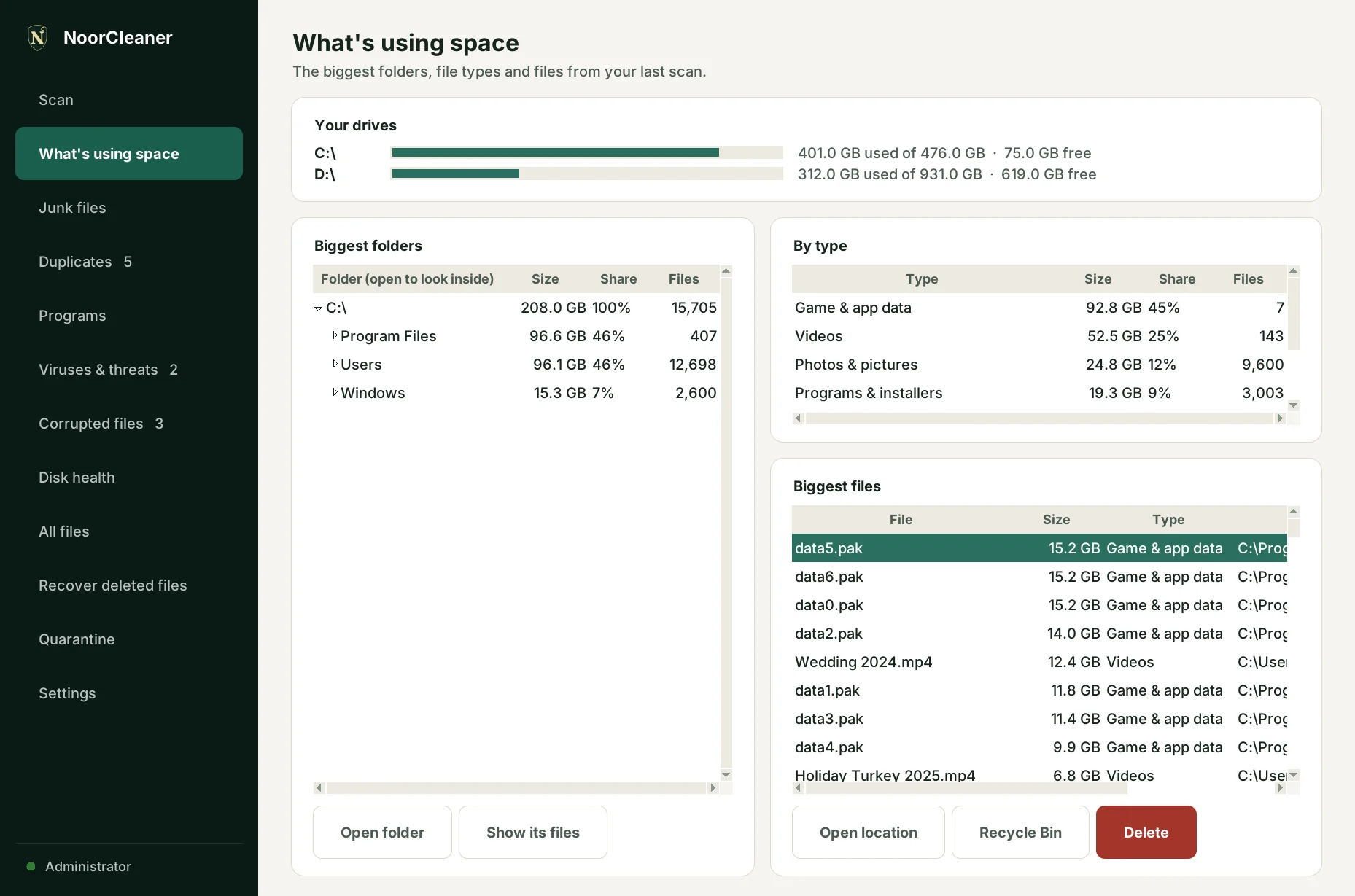
What's using space

See how full each drive is, open the biggest folders to look inside, and spot the largest files and file types at a glance.

  • Biggest folders, opened one level at a time
  • Space by type: videos, photos, music, documents, games
  • The biggest files, with Recycle Bin or Delete right there

NoorCleaner—□✕
What's using space page
2

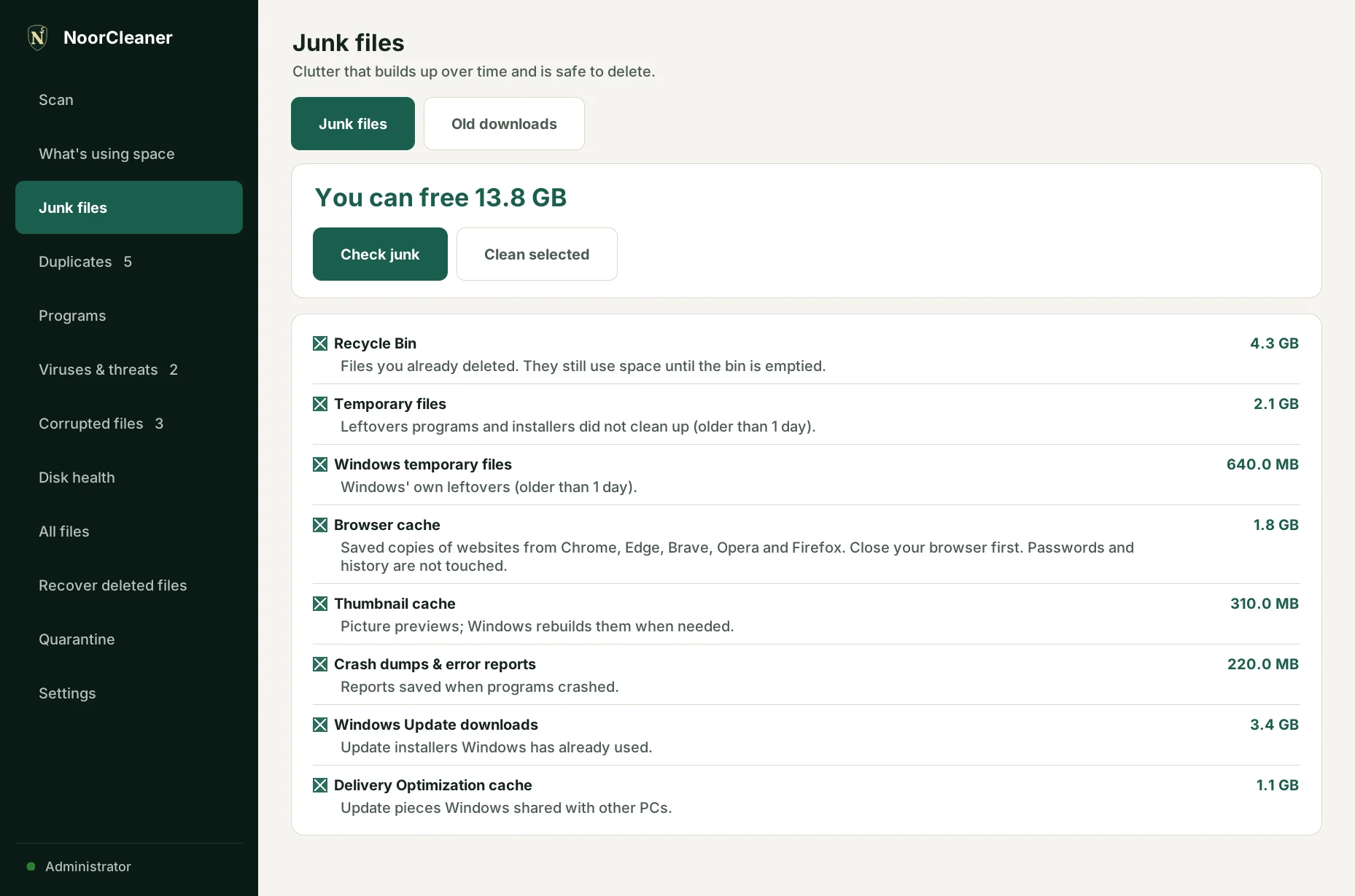
Junk files and old downloads

Clear the clutter Windows and your apps leave behind, and find installers and zip files you downloaded months ago.

  • Recycle Bin, temporary files, browser cache, crash reports, old Windows Update files
  • Shows how much each one frees before you clean
  • Old downloads you have not touched in 90 days
NoorCleaner—□✕
Junk files page
3

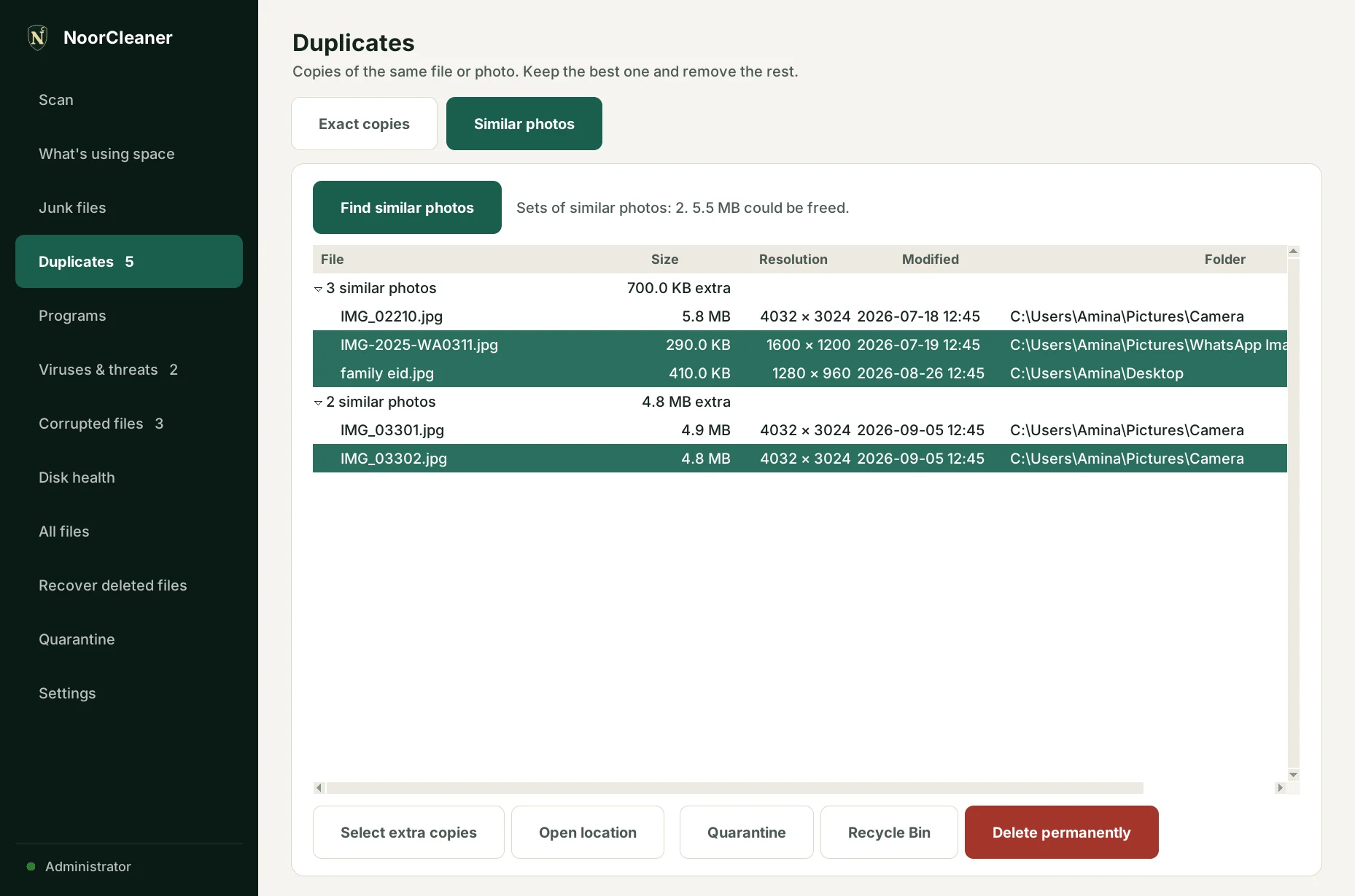
Duplicates and similar photos

Find exact copies of the same file, and photos that look the same even when they are resized or re-sent on WhatsApp.

  • Keeps the oldest or best-quality copy for you
  • Compares what is inside the files, not just their names
  • Skips Windows and program folders, where copies are normal
NoorCleaner—□✕
Similar photos
4

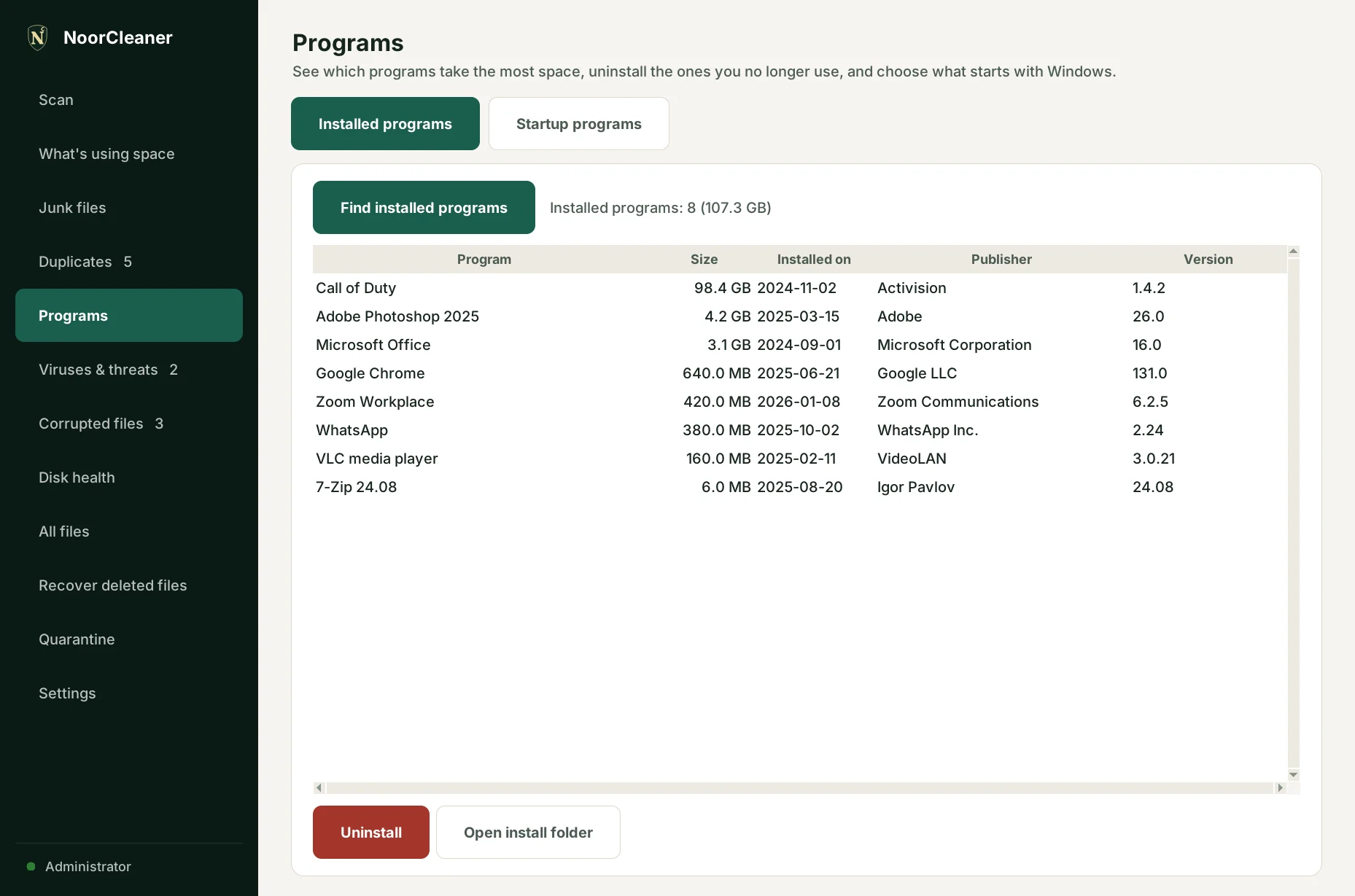
Programs and startup

See which programs take the most space and uninstall the ones you no longer use. Choose what starts with Windows so your PC starts faster.

  • Installed programs, biggest first
  • Uses each program's own uninstaller
  • Turn startup programs off and on, just like Task Manager
NoorCleaner—□✕
Installed programs
5

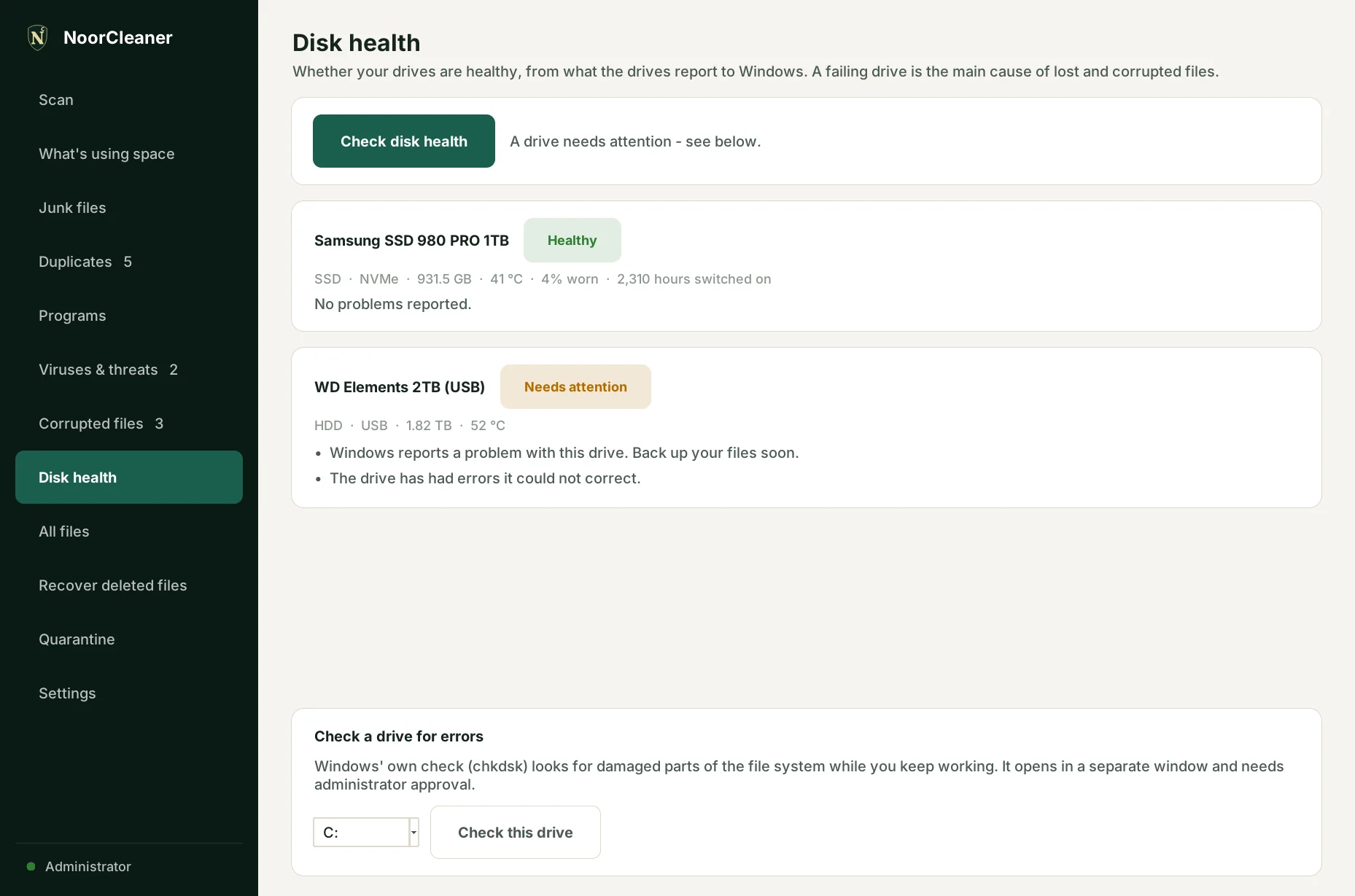
Disk health

A plain answer to "is my drive OK?", from what the drive itself reports to Windows: temperature, wear and errors.

  • Healthy, needs attention, or failing: back up now
  • SSD wear and hours switched on
  • Runs Windows' own drive check for you
NoorCleaner—□✕
Disk health page
6

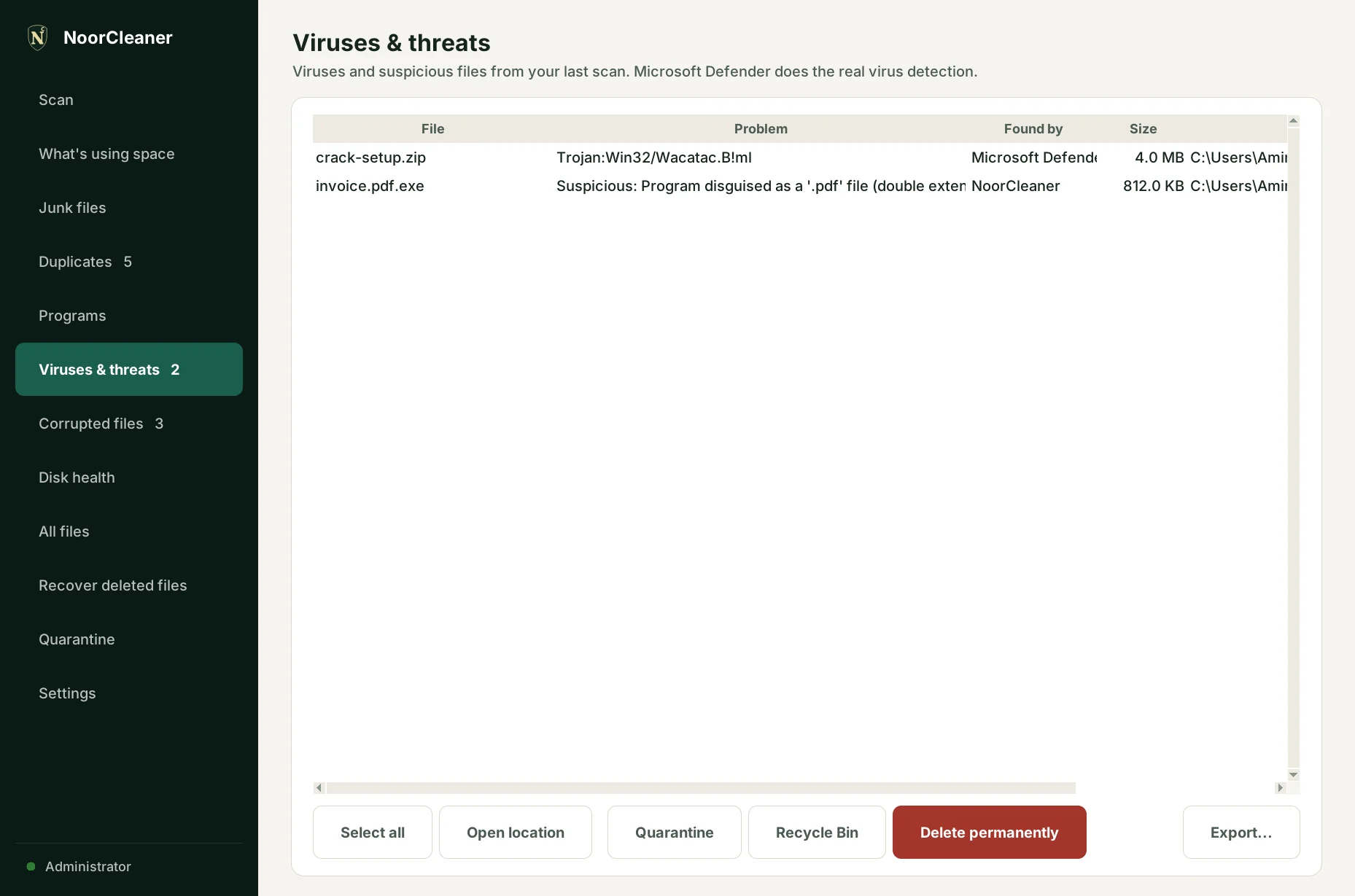
Viruses and corrupted files

Runs Microsoft Defender's virus scan and adds its own checks for disguised programs and USB worms. Also finds files that are damaged or cut off.

  • Quarantine locks suspicious files away, and can restore them
  • Finds broken documents, photos, videos and programs
  • Repairs damaged Windows files with Microsoft's own tools
NoorCleaner—□✕
Viruses and threats page
7

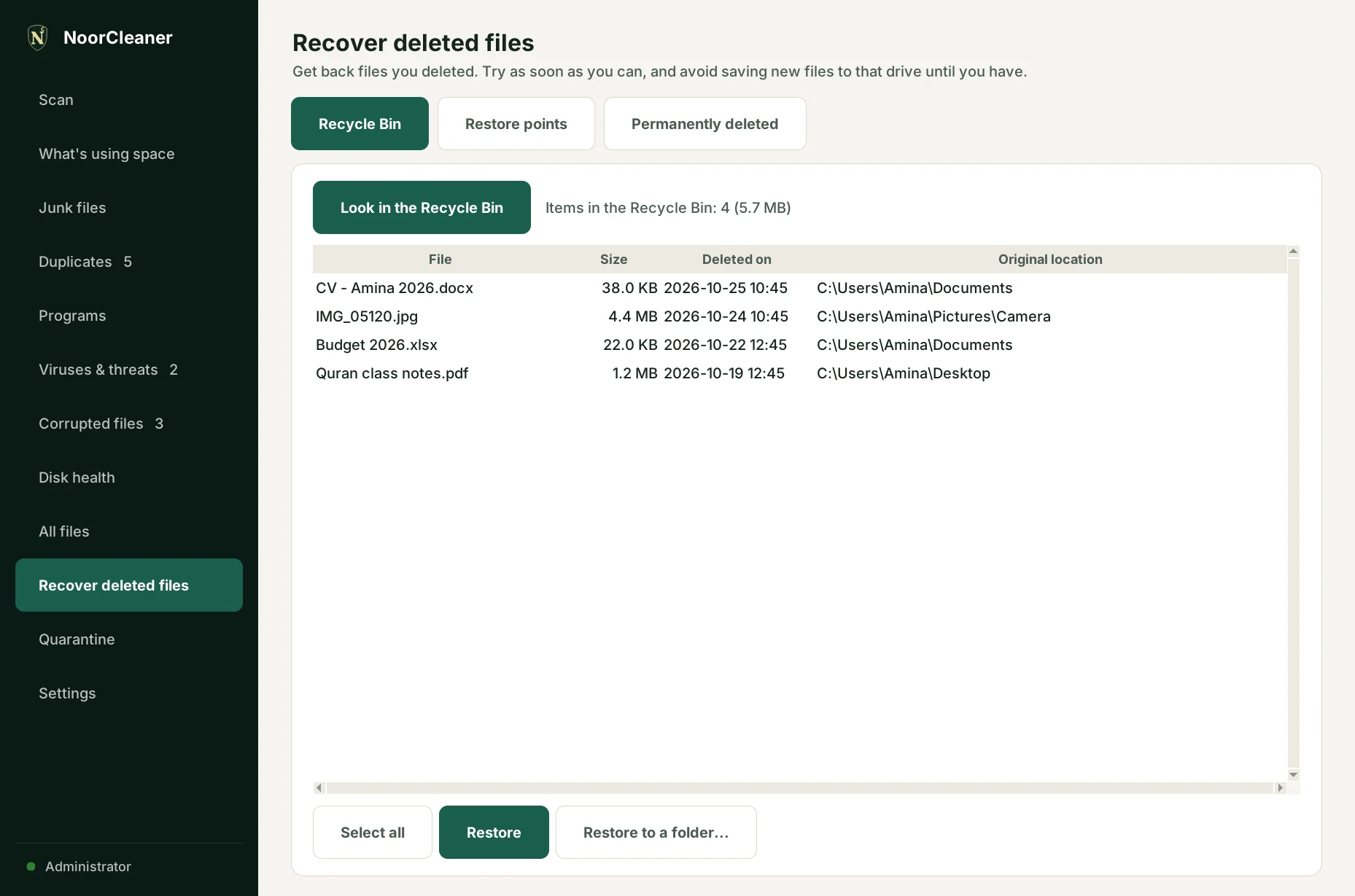
Recover deleted files

Get back files from the Recycle Bin, from Windows restore points, or, for permanently deleted files, with Microsoft's free Windows File Recovery.

  • Puts files back where they came from
  • Finds files that were in a restore point but are gone now
  • Never saves recovered files over the ones you are rescuing
NoorCleaner—□✕
Recover deleted files page
8

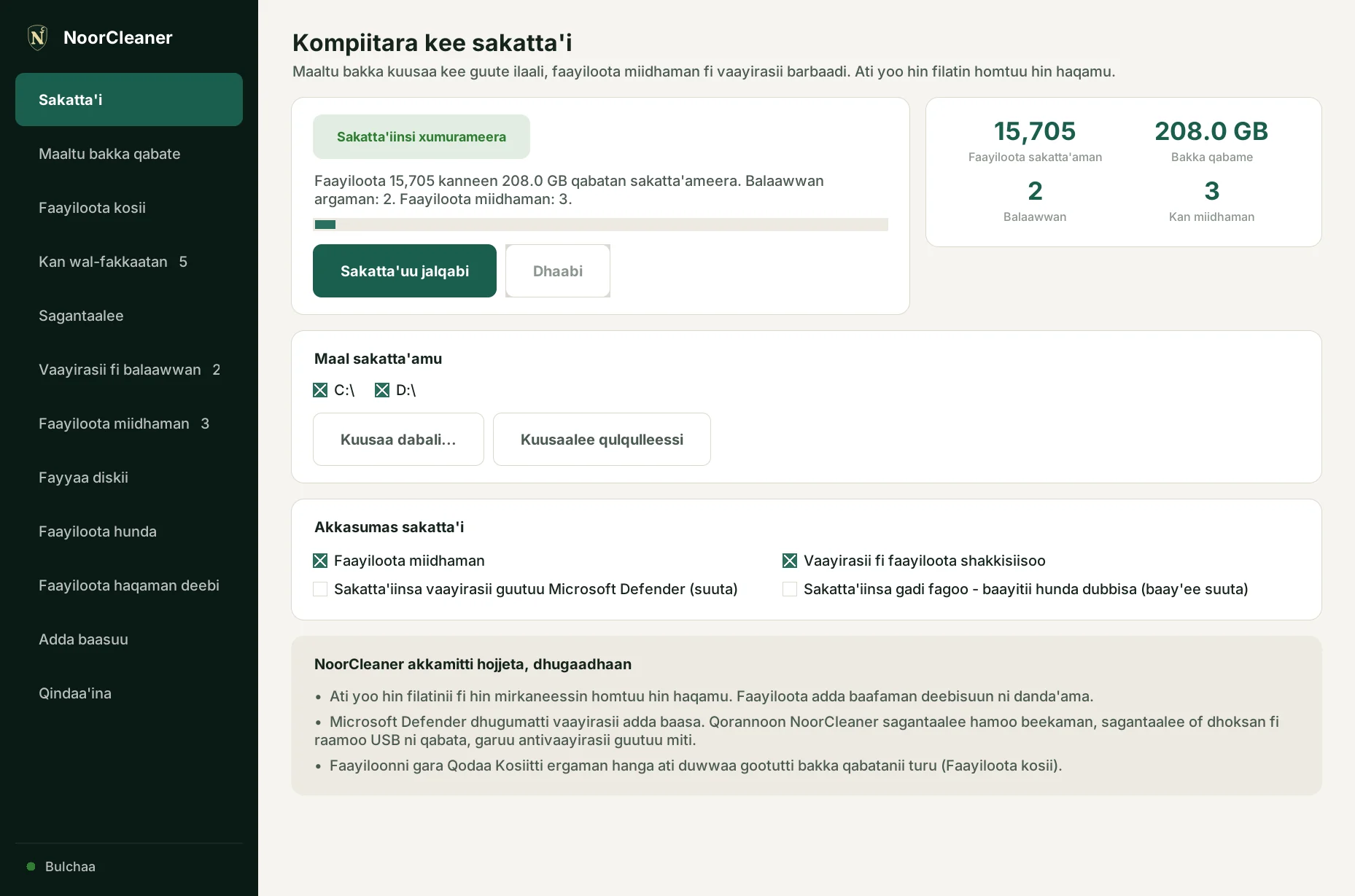
In your language

Choose English, Arabic or Afaan Oromoo when you install, and change it any time in Settings. In Arabic the whole app reads right to left.

  • Every screen and message translated
  • An optional weekly or monthly junk reminder
  • Works completely offline
NoorCleaner—□✕
NoorCleaner in Afaan Oromoo
Simple

How it works

Install and choose your language

Download the installer and pick English, Arabic or Afaan Oromoo. No account needed.

Scan

NoorCleaner looks through your drives and shows what's using space, junk, duplicates and problems.

You decide

Choose what to remove: Quarantine, Recycle Bin or Delete. NoorCleaner always asks first.

What NoorCleaner does, honestly

  • Nothing is deleted unless you select it and confirm. Quarantined files can be restored.
  • Microsoft Defender does the real virus detection. NoorCleaner's own checks are not a full antivirus.
  • Recovering permanently deleted files is never guaranteed, especially on SSDs. The sooner you try, the better.
  • It is an early beta. Please try it yourself before relying on it, and tell us what you find.
Free download

Get NoorCleaner

Free for Windows 10 and 11, in English, Arabic and Afaan Oromoo.

Download NoorCleaner-Setup.exe

Windows may say "Windows protected your PC" because the app is new and not yet signed. Click "More info", then "Run anyway".

Requirements

  • Windows 10 or 11 (64-bit)
  • No administrator rights needed to install
  • Run as administrator for protected folders, disk health details and Windows junk
  • No internet connection needed

Questions

Is NoorCleaner free?

Yes. There is no account, no subscription and no advertising inside the app.

Will it delete anything by itself?

No. It only lists what it finds. You choose what to remove, and it asks before every removal. The junk reminder only tells you; it never cleans by itself.

Is it an antivirus?

Not on its own. It runs Microsoft Defender's virus scan for you and adds extra checks, but you should keep Windows Security turned on.

Does it work in Arabic and Afaan Oromoo?

Yes. Choose the language when you install, or later in Settings. The translations are new, so corrections are welcome.

Can it recover files I deleted permanently?

Sometimes. It sets up Microsoft's free Windows File Recovery for you. It works best straight after deleting; on SSDs the data is often wiped quickly.

Does it send my files anywhere?

No. Everything happens on your PC, and it works without the internet.

How do I uninstall it?

Like any app: Windows Settings, then Apps, then NoorCleaner, then Uninstall.